At gagadget.com, your trust is our priority. We follow strict quality standards in our research, tests, and analysis of video projectors, to give you the best experience. Learn more
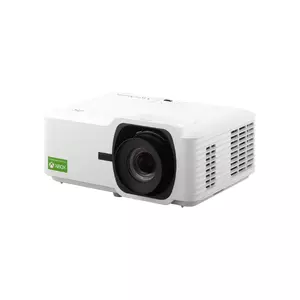
ViewSonic LX700-4K Is My 4K Gaming Projector Pick
Open the video output menu on an Xbox Series X and you will find a resolution parked between 1080p and 4K that most projector spec sheets skip entirely. I play at 1440p and 120 Hz on my desk monitor every day, and on a big screen that combination used to be out of reach. The usual HDMI 2.0 projector took 4K at 60 frames or dropped to 1080p to run faster, so you traded sharpness for speed or speed for sharpness.
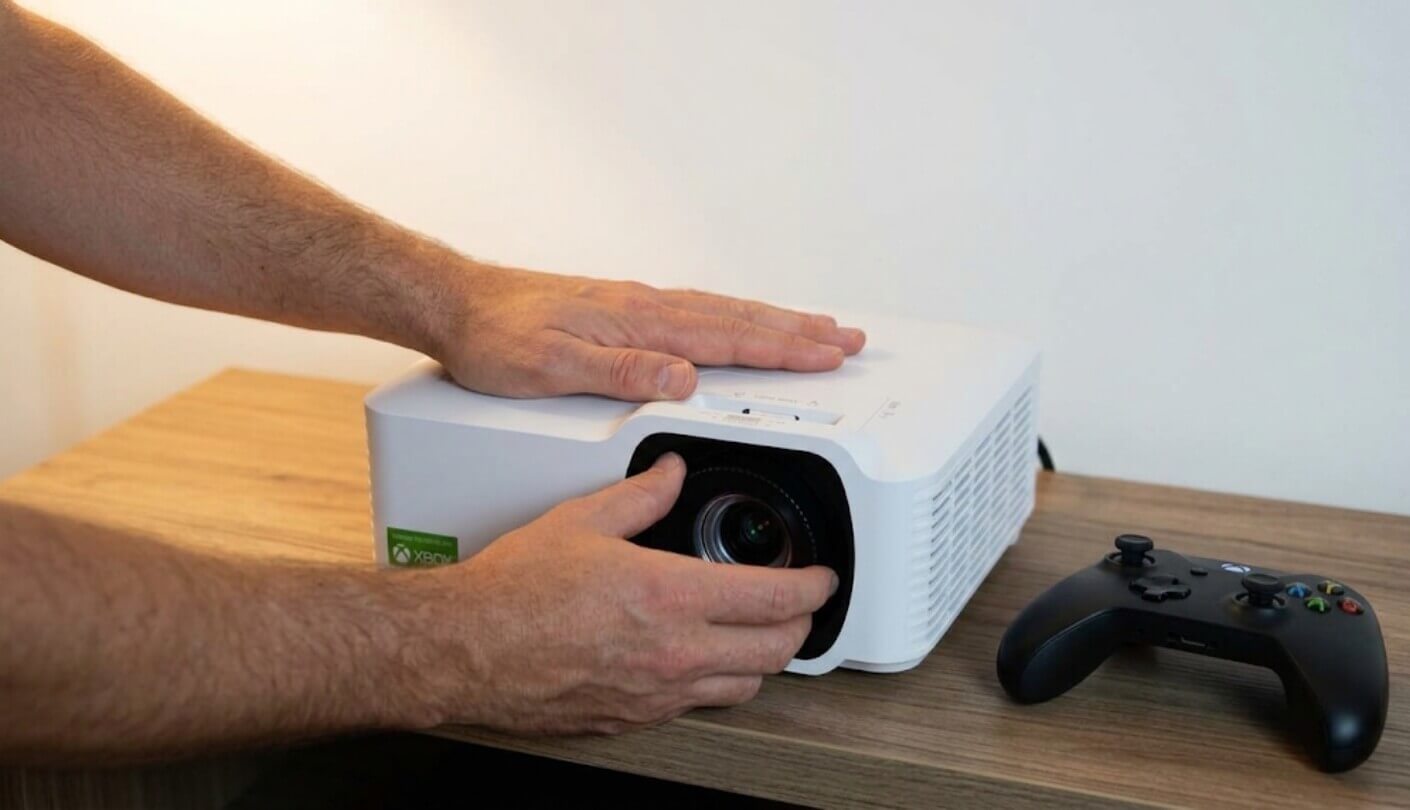
The ViewSonic LX700-4K accepts all three signals: 4K at 60 Hz, 1440p at 120 Hz through its Designed for Xbox certification, and 1080p at 240 Hz from a PC, where ViewSonic rates lag at 4.2 ms. Mine sits on a shelf in the living room, wired to a Series X and a gaming PC, aimed at a white wall with two windows beside it. The lens shift and zoom made that awkward shelf workable without a single digital correction, which turned out to matter far more than I expected.
If you’re in a hurry: honestly, buy it if you mostly play and only sometimes watch. Personally, what sold me was plugging in the Xbox and finding 1440p at 120 Hz just sitting there in the settings, something neither rival in this review can offer. I no longer wait for sunset to play, it feels about as quick as my desk monitor, and I’ll admit I enjoy never thinking about a replacement lamp. Films look good, though dark scenes go grayish and the built-in speaker won’t win anyone over. If you watch more than you play, I’d read the weak spots first.
The downsides are specific. Color runs off target in every SDR mode straight out of the box, and the menu has no two-point white balance to pull it back. Independent lab tests measured native contrast at 1,318:1, so dark scenes settle into gray. HDMI 2.0 rules out 4K at 120 Hz. The 15W speaker sounds thin, the fan is easy to hear at full power, and ViewSonic warrants the laser for 1 year while rating it for 20,000 hours in Normal mode.
I would steer an Xbox owner with a bright, lived-in living room straight to it, and the same goes for a PC player who wants 240 Hz on a wall. Film fans who judge a projector by its black bars should read the comparison first. So should anyone short on floor space, because the LX700-4K needs about 7.7 feet for a 100-inch picture and the BenQ TK700STi in the comparison table manages it from 6.5.
We may earn a small commission if you buy via our links - it helps keep gagadget.com running.
5 Reasons to Buy the ViewSonic LX700-4K:
- Accepts 4K at 60 Hz, 1440p at 120 Hz and 1080p at 240 Hz, so every console and PC mode has a lane
- 4.2 ms rated lag at 1080p and 240 Hz, measured at 5 ms in independent tests
- 3,500-lumen laser rated for 20,000 hours in Normal and 30,000 in Eco
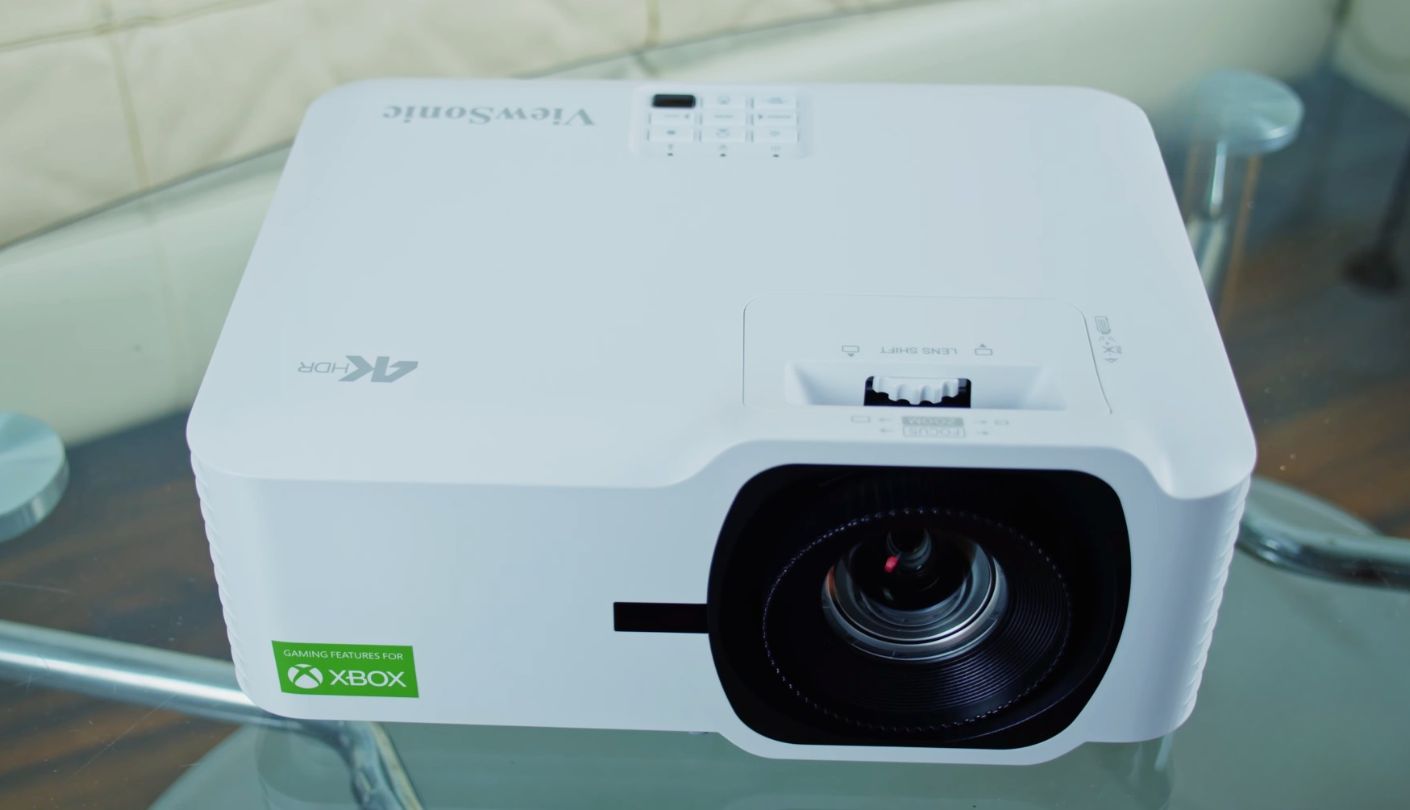
- 1.36x zoom and 15% vertical lens shift, so you can square the image without keystone
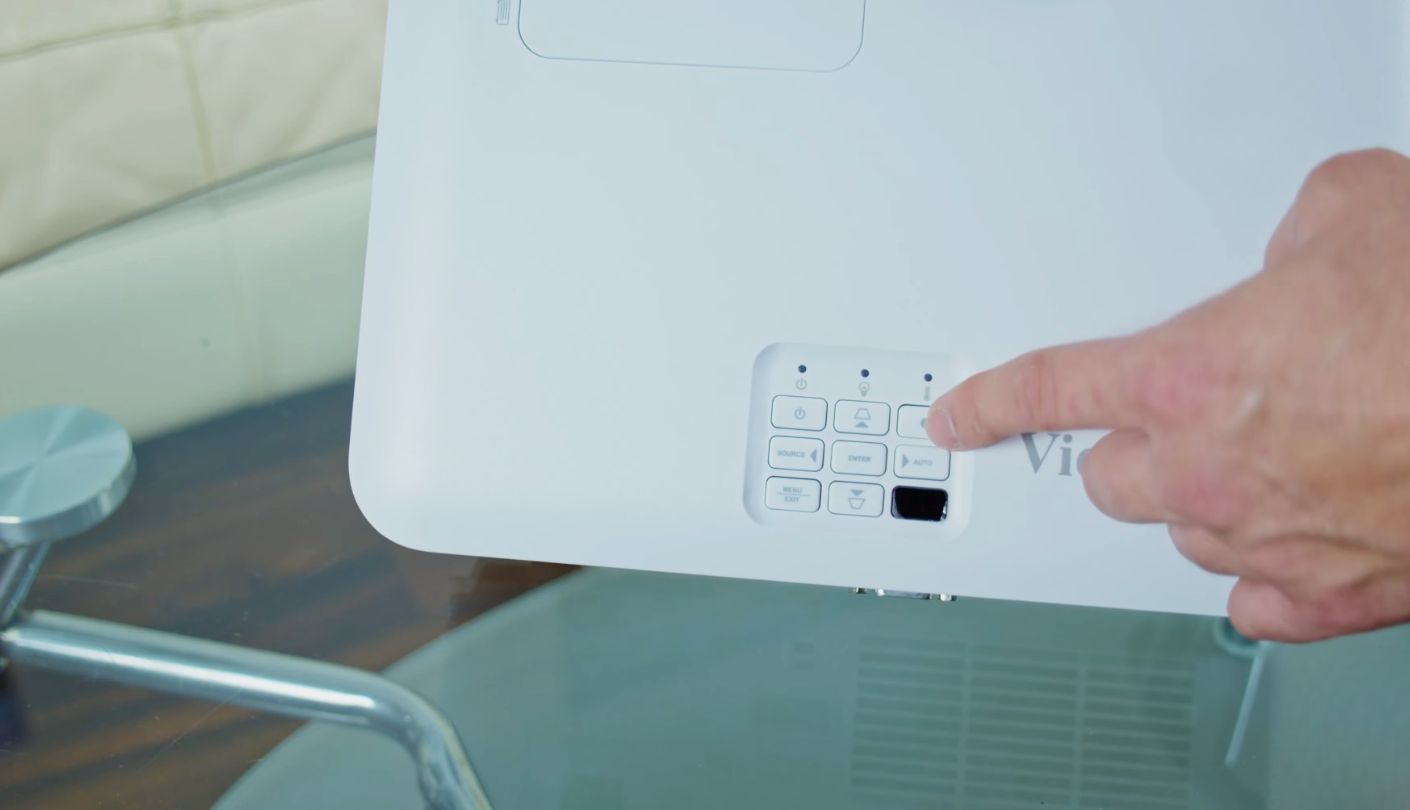
- eARC on HDMI 2 and power and volume control from an Xbox controller over CEC
2 Reasons to Consider Alternatives:
- Off-target color out of the box, with no two-point white balance to correct it
- HDMI 2.0 caps 4K at 60 Hz, and 1,318:1 native contrast leaves blacks dark gray
Table of Contents:
- ViewSonic LX700-4K Specs Through a Gamer’s Eyes
- 4K60, 1440p120 or 1080p240: Choosing a Lane
- Ports, Cables and the eARC Catch
- How It Played, Session by Session
- Laser Hours, Fan Noise and Warranty Terms
- Where the LX700-4K Falls Short
- LX700-4K vs Optoma UHD38x vs BenQ TK700STi
- What LX700-4K Owners Keep Saying
ViewSonic LX700-4K Specs Through a Gamer’s Eyes
Rated figures come from ViewSonic. Rows marked as measured come from published lab testing of a shipping unit:
| Spec | ViewSonic LX700-4K |
| Projection System | Single-chip DLP, 0.65-inch DMD with 4-way XPR pixel shifting |
| On-Screen Resolution | 3840 x 2160 |
| Light Source | Laser phosphor |
| Rated Brightness | 3,500 ANSI lumens |
| Measured Brightness | 3,091 ANSI lumens in Bright mode, 2,164 in Gaming mode |
| Light Source Life | 20,000 h Normal, 30,000 h Eco |
| Gaming Signals | 4K at 60 Hz, 1440p at 120 Hz, 1080p at 240 Hz |
| Rated Input Lag | 4.2 ms at 1080p 240 Hz, 16 ms at 4K 60 Hz |
| Measured Input Lag | 5 ms at 1080p 240 Hz, 9 ms at 1080p 120 Hz, 18 ms at 4K 60 Hz |
| Throw Ratio | 1.06 to 1.45:1 |
| Distance for 100 Inches | About 7.7 ft at the wide end of the zoom |
| Optical Zoom | 1.36x, manual |
| Lens Shift | 15% vertical, manual |
| Geometry Correction | Horizontal and vertical keystone up to 30 degrees, four-corner adjustment, 3x3 warp |
| Image Size | 30 to 300 inches |
| Contrast | 3,000,000:1 dynamic quoted, 1,318:1 native measured |
| Color Coverage | 96.9% of Rec.709 and 78.7% of DCI-P3 measured |
| HDR Formats | HDR10 and HLG |
| Brightness Uniformity | 66% measured |
| Picture Modes | Standard, Bright, Cinema, Gaming, sRGB, User, HDR, HLG, 3D |
| Fan Noise | 31 dB Normal, 26 dB Eco rated |
| HDMI Inputs | 2 x HDMI 2.0 with HDCP 2.2, eARC on HDMI 2 |
| Other Connections | 3.5 mm audio out, USB-A power 5V/1.5A, RS-232, 12V trigger |
| Speaker | 15W mono |
| Gaming Extras | ALLM, HDMI-CEC control from an Xbox controller, Designed for Xbox |
| 3D | Supported, glasses sold separately |
| Power | External power brick, 180W typical draw |
| Weight | 7.3 lbs |
| Dimensions | 11.3 x 8.5 x 5 in |
| Warranty | 3 years parts and labor, 1 year on the light source |
Scan the table for signal support and lag, and the LX700-4K reads like a gamer’s wish list. The less flattering lines sit near the bottom. Native contrast lands more than 2,000 times below the headline figure, and the laser gets a 1-year warranty despite its 20,000-hour rating. I still recommend this projector, and those two lines are what decide who should buy it.
4K60, 1440p120 or 1080p240: Choosing a Lane

Each of the three signals costs something different. 4K at 60 Hz gives you every pixel the chip can draw, and it is the right lane for slow, pretty games where you spend more time looking than reacting. Published tests clocked it at 18 ms, a shade over one frame at 60 Hz. I never felt that in a third-person adventure, and I did feel it, faintly, when a racing line demanded a sharp flick of the stick.
1440p at 120 Hz is where the LX700-4K pulls ahead of the two rivals I compare later. The Xbox Series X and Series S both offer it, the projector accepts it under the Designed for Xbox program and upscales it onto the 3840 x 2160 image. The frame rate doubles, text and edges stay visibly crisper than 1080p on a 100-inch wall, and response feels closer to a good monitor than to a typical projector. ViewSonic publishes no lag figure for this mode, but the measured 9 ms at 1080p and 120 Hz gives a fair idea of the neighborhood.
Refresh rate should be a per-game decision, and your display should never be the thing that makes it for you. On this projector, it almost never is.
1080p at 240 Hz is for PC players only, since no current console outputs 240 frames per second. ViewSonic’s own footnote says the 4.2 ms path needs Ultra-Fast Input switched on in the Advanced menu and a 240 Hz signal coming in, and that resolution tops out at 1080p while it is active. Published testing measured 5 ms. For a competitive shooter that is monitor territory, and it is the lane where a huge image helps most, because targets near the edges are simply bigger.
The ceiling is 4K at 120 Hz, and you will not reach it here. Both inputs are HDMI 2.0 ports, and a 4K signal at 120 frames is an HDMI 2.1 job. The same limit applies to both rivals later in this review, so I would not hold it against this model in particular. A PS5 owner should plan on 4K at 60 or 1080p at 120, since the 1440p lane is certified for Xbox.
Ports, Cables and the eARC Catch
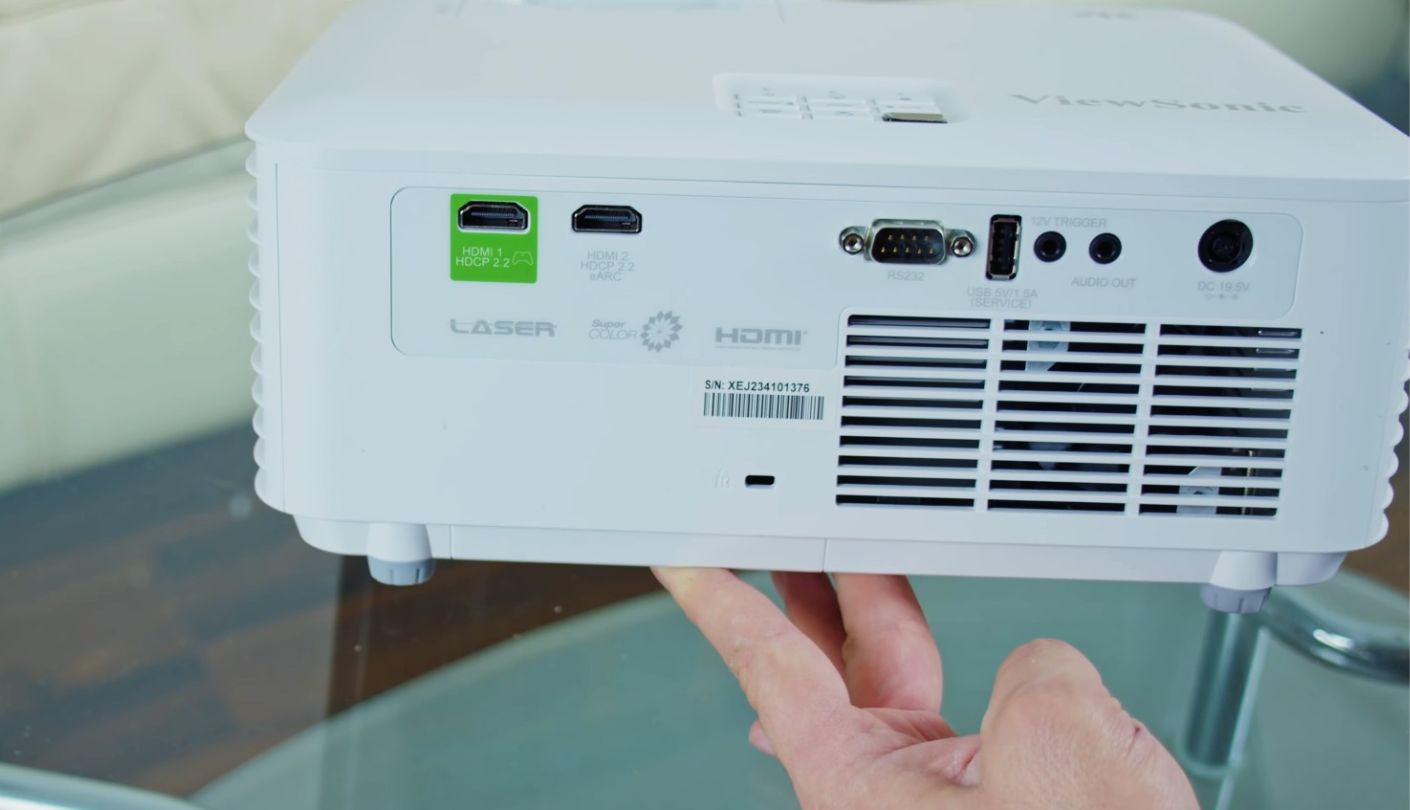
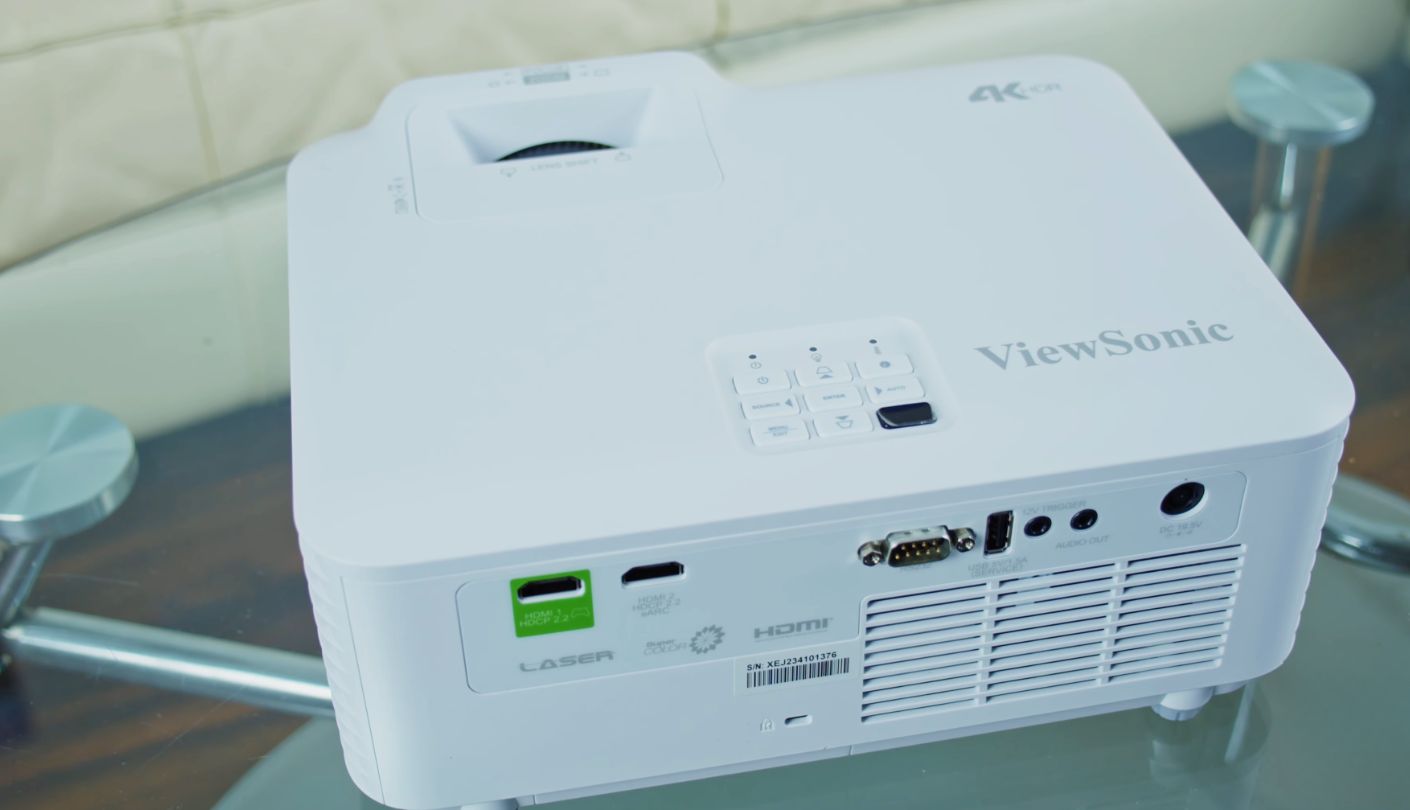
One HDMI cable is all a console needs. The real question is which input gets it and what the other sockets are for:
- HDMI 1 (2.0, HDCP 2.2), the natural home for an Xbox, since controller-based CEC works on this input
- HDMI 2 (2.0, HDCP 2.2), which doubles as the eARC audio return for a soundbar or receiver
- A 3.5 mm audio output for powered speakers or a headphone amplifier
- USB-A rated at 5V/1.5A to power a streaming stick, which you will want because there is no app platform built in
- RS-232 for home control systems
- A 12V trigger to drop a motorized screen when the projector powers on
The catch hides in the second item. eARC shares a port with the second HDMI input, so the moment a soundbar takes the audio return, the projector has one HDMI input left for sources. With an Xbox, a PC and a streaming stick, that leaves two devices without a home. A soundbar or receiver with its own HDMI inputs solves it, and so does a small HDMI switch in front of HDMI 1, though a switch may interfere with the controller shortcuts that rely on CEC. The 3.5 mm output is the fallback if stereo is all you need.
With the Xbox on HDMI 1, the console wakes the projector when you press the guide button, and the controller’s volume changes reach the projector’s speaker. It sounds minor on paper. In practice the projector remote spent most evenings in a drawer.
How It Played, Session by Session
Everything below ran on a 100-inch image across a white wall, fed by a Series X and a PC strong enough to hold high frame rates in competitive shooters.
| Session | Highlights | Rough Edges |
| Gears 5 versus, Xbox, 1440p at 120 Hz | Aim and cover swaps felt instant, and HUD text stayed crisper than at 1080p | The fan was the loudest thing in the room between rounds |
| Forza Horizon 5, Xbox, 4K at 60 Hz | Car liveries and roadside detail looked sharp from the sofa | Quick direction changes felt slightly softer than in the 120 Hz lane |
| Counter-Strike 2, PC, 1080p at 240 Hz | Tracking fast targets came closer to my monitor than any projector I have used | Keystone went gray once Ultra-Fast Input engaged, so the image had to be square already |
| Saturday football, blinds open | Gaming mode stayed punchy on a 100-inch image with daylight in the room | Grass leaned green until I set color temperature to Warm |
| HDR film, lights off | Snowfields and bright skies had plenty of punch, and HDR looked more natural than SDR | The brightest highlights clipped, and there is no tone-mapping slider to rein them in |
| SDR drama, evening | Slow pans stayed clean and fine texture held up | Skin tones leaned slightly red, and night scenes lost depth |
The pattern was hard to miss. With a controller in hand, the LX700-4K got out of the way within minutes. Inputs felt immediate at 120 Hz, the picture survived a table lamp being on, and the laser looked the same in the last session as in the first. With a film playing, I kept reaching for the remote to nudge faces, chase clipped highlights and fiddle with color temperature. It plays better than it screens, and that is why I file it under gaming first.
Laser Hours, Fan Noise and Warranty Terms
Accessories and cables. Inside the carton you get the projector, an external power brick with its lead, a backlit remote and a quick start guide. Budget separately for a certified Premium High Speed HDMI cable, since the 4K and 1440p modes use the full 18 Gbps of HDMI 2.0, and for active 3D glasses if 3D matters to you. The brick has a clever home, too. ViewSonic molded a recess into the underside of the chassis so it can ride along on a ceiling mount instead of dangling from the cord.
Hours versus coverage. ViewSonic rates the light source at 20,000 hours in Normal and 30,000 in Eco, five times the full-brightness lamp life of either rival below. Eco trims brightness by about 29% in published measurements, which still left plenty for my evening sessions. The warranty tells a shorter story, with 3 years on parts and labor and 1 year on the light source. Register the unit on day one, because the first-year Express Exchange service requires registration.
Noise and where to sit. ViewSonic rates the fan at 31 dB in Normal and 26 dB in Eco. Published measurements taken 3 feet away, in a room with a 33 dB noise floor, found the rear loudest at close to 38 dBA at full power, with the front a few decibels quieter. Owners split along placement lines. Ceiling and high-shelf users barely notice it, and people with the projector on a coffee table do. Quiet film passages also expose a faint whir from the color wheel. My answer was a shelf behind and above the sofa, rear panel pointed at the back wall.
Where the LX700-4K Falls Short
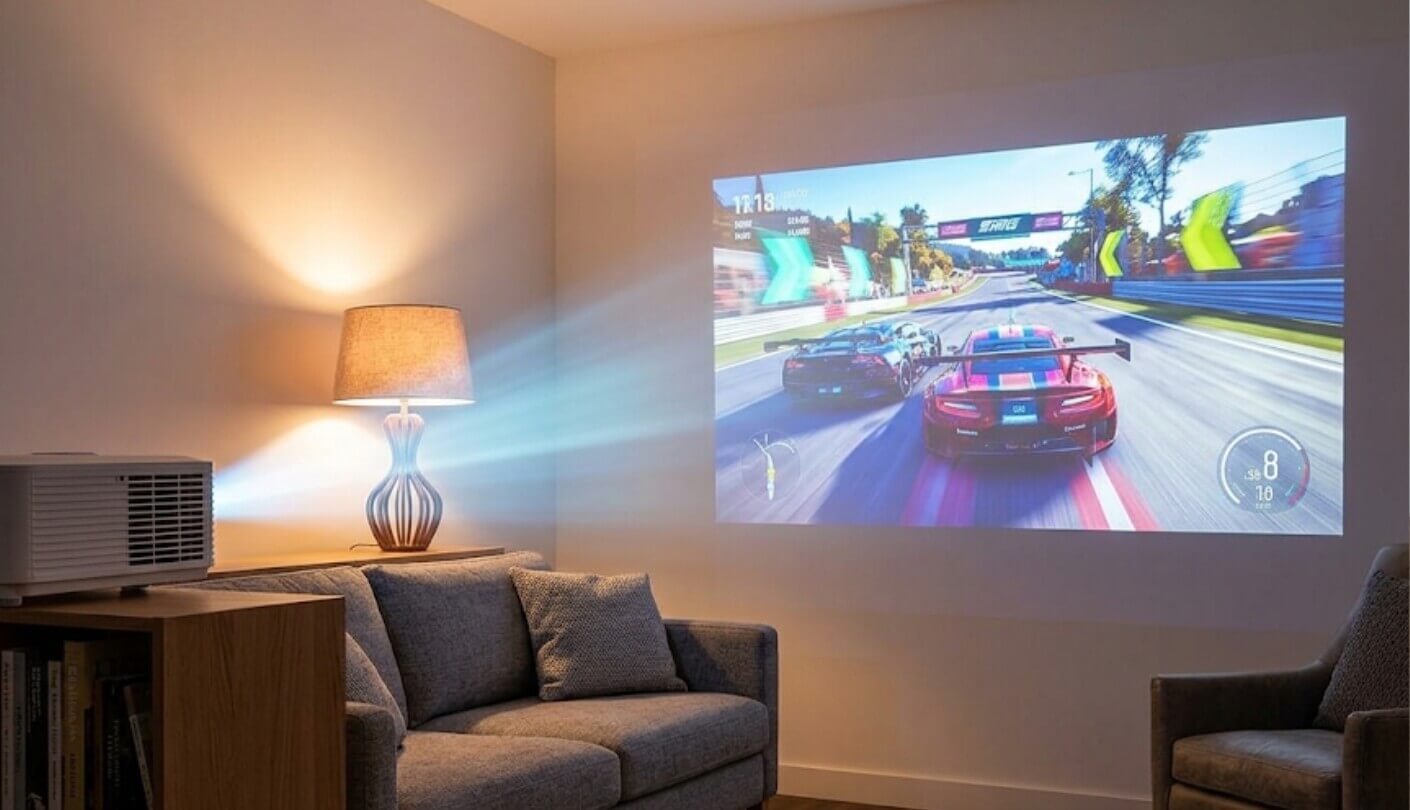
Geometry is the first thing to get right. When Ultra-Fast Input is active, the LX700-4K disables keystone, four-corner adjustment, warp and digital zoom. Prop up the front foot and square the image digitally, and that correction disappears as soon as a game kicks the projector into its fast mode, leaving a trapezoid on the wall. The fix is optical: level the projector, move the image with the 15% vertical shift, and size it with the zoom ring. Do that once and the fast modes never touch your geometry again.
Out-of-box color needs work. Lab testing found every SDR picture mode off target, with Bright mode carrying a heavy green cast, and the menu offers coarse color temperature presets and a color management system with no two-point white balance. Even after calibration, a large color checker averaged an error of 4.2, above the level where mistakes become visible. Games hide it well. For films, pick Cinema or User, set color temperature to Warm, and accept that faces will sometimes lean a little red.
Black level is where single-chip DLP shows its limits. Native measurements came in at 1,318:1, typical for projectors in this class and far below a good TV. In a lit room nobody will care, and in a dark one black turns to charcoal. An ALR screen helps more than any menu setting in a living room, because it rejects the ceiling and window light that would otherwise lift the black floor further. Uniformity measured 66%, which shows on a white full-screen menu and hides in games. HDR covers about 79% of DCI-P3 and clips highlights in content mastered brighter than 1,000 nits.
A few smaller irritations round things out. The picture freezes for a moment while you move through the menu, which is harmless and still irritating. Several owners report the projector sticking in HDR mode with certain PC sources until a reboot. The color wheel can also produce rainbow flashes for viewers prone to them. One lab reviewer never saw any and another listed them as a possibility, so if you have caught rainbows on a DLP set before, test this one in the first week.
LX700-4K vs Optoma UHD38x vs BenQ TK700STi
Line the LX700-4K up against its closest rivals and two names keep coming back: the Optoma UHD38x, which gives up the laser for more lumens, and the BenQ TK700STi, which gives it up for a shorter throw. All three are DLP 4K gaming projectors with 240 Hz support. Ratings come from each manufacturer, Optoma lists brightness without the ANSI label, and the 100-inch distances are calculated from each throw ratio:
| Spec | ViewSonic LX700-4K | Optoma UHD38x | BenQ TK700STi |
| Light Source | Laser phosphor | Lamp | Lamp |
| Rated Brightness | 3,500 ANSI lumens | 4,000 lumens | 3,000 ANSI lumens |
| Light Source Life | 20,000 h Normal, 30,000 h Eco | 4,000 h Bright, 15,000 h Dynamic | 4,000 h Normal, 15,000 h LampSave |
| Throw Ratio | 1.06 to 1.45:1 | 1.5 to 1.66:1 | 0.9 to 1.08:1 |
| Distance for 100 Inches | About 7.7 ft | About 10.9 ft | About 6.5 ft |
| Optical Zoom | 1.36x | 1.1x | 1.2x |
| Lens Shift | 15% vertical | None | None |
| Rated Lag at 1080p 240 Hz | 4.2 ms | 4.2 ms | 4.2 ms |
| Rated Lag at 4K 60 Hz | 16 ms | 16 ms | 16.7 ms |
| Designed for Xbox | Yes, with 1440p at 120 Hz | No | No |
| HDR Formats | HDR10 and HLG | HDR10 and HLG | HDR10 and HLG |
| Audio Out | eARC, 3.5 mm | S/PDIF optical, 3.5 mm | eARC, 3.5 mm |
| Built-In Speaker | 15W | 10W | 5W |
| Streaming | USB power for a stick | USB power for a stick | Android TV dongle included |
| Weight | 7.3 lbs | 8.77 lbs | 6.83 lbs |
Start with what you live with every week. Both rivals run on lamps rated for 4,000 hours at full brightness, and a lamp dims as it ages, so the Optoma’s lumen lead shrinks the longer you own it. The LX700-4K’s laser is rated for 20,000 hours in Normal. It is also the only one of the three with lens shift, and its 1.36x zoom is the widest, which matters a great deal once keystone switches off in the fast modes. It accepts 1440p at 120 Hz from an Xbox, passes audio over eARC where the Optoma relies on optical and 3.5 mm outputs, and carries three times the speaker power of the BenQ.
The rivals still land a few punches. The Optoma UHD38x claims 500 more lumens, the highest rating of the three. The BenQ TK700STi puts 100 inches on the wall from 6.5 feet, more than a foot closer than the ViewSonic, and ships with an Android TV dongle, so it streams straight out of the box. In a tiny room, or against a wall facing a sunny window, those numbers count.
The margin is modest, and I would not call either rival a mistake. The ViewSonic wins on the parts of ownership that never show up in a store demo: a picture that stays square in the fast modes, a light source you never replace, and an Xbox lane the other two lack. Only a room that dictates the throw distance would push me toward one of the others.
What LX700-4K Owners Keep Saying
Owner Reviews
Forum threads and retailer reviews for the LX700-4K circle the same few topics. People love the brightness, the lens shift and the 1440p mode. They grumble about color straight out of the box, an HDR glitch with some PCs, and a speaker that runs out of steam quickly.
Praises: "Replaced an old lamp projector that had gone dim. This one is bright enough that I stopped closing the blinds for afternoon Forza. The Xbox offered 1440p at 120 the first time I opened the video settings and it has stayed there ever since."
"lens shift at this size is the feature nobody talks about. shelf, roll the image down, zoom to fit, done. never touched keystone so the fast game mode doesn't wreck the picture"
"I play ranked on a 240hz monitor and fully expected to hate gaming on a projector. CS2 at 240 on a 110 inch wall feels close enough that I've stopped going upstairs to the desk."
"Mine hangs upside down from a shelf above the couch and I honestly forget the fan exists. There's an IR sensor on the front and another on top, so the remote works from anywhere in the room."
"Colors were off out of the box, kind of greenish. Plugged in calibration settings from a review and it went from okay to great. Much better value than the BenQ I almost bought."
***
Drawbacks: "HDR mode got stuck with my laptop. Everything showed up as HDR whatever I picked in Windows, and the whites turned yellowish. Rebooting fixes it for a while. ViewSonic, please, firmware."
"the speaker is fine for youtube and nothing else. zero bass. plan on a soundbar and remember eARC takes one of your two HDMI inputs"
"Blacks are dark gray, full stop. In games I don't mind. Space scenes with the lights off look flat. Also the picture freezes for a second every time I open the menu."
Most of those gripes yield to a little money or an evening of tinkering. A calibration pass improves color, even if it never reaches reference. A switch or a receiver with spare inputs ends the HDMI shortage. A restart clears the HDR glitch, and ViewSonic’s support page is worth checking for newer firmware. Two complaints stay put, because contrast and the speaker are baked into the hardware. If either one is a dealbreaker for you, this is the wrong projector.
Final Word on the ViewSonic LX700-4K
Three signals, one box, and no lamp to replace. That sums up the LX700-4K. It is the most complete Xbox projector I have spent time with, thanks to 1440p at 120 Hz, lens shift that keeps the picture square when the fast modes kick in, and a laser rated for 20,000 hours. It stays bright enough for a living room that is still used as a living room, and its lag at 1080p and 240 Hz measured 5 ms, which puts a PC shooter on a wall without apology.
The compromises are the kind you accept going in. Blacks will stay gray, color wants a calibration pass, a soundbar is close to mandatory, and 4K at 120 Hz is off the menu for good. Film purists will be happier with a dedicated cinema projector. For anyone whose evenings revolve around a controller, the ViewSonic is where I would put the money, and if I could add one purchase on day one, it would be a soundbar with its own HDMI inputs, so eARC never costs you a port.

Meet James, our go-to tech guru and seasoned reviewer. His sharp attention to detail and love for gadgets drive his deep dives into the newest tech waves. James's insightful analysis and real zest for breakthroughs have earned him a solid reputation in the tech world.


