At gagadget.com, your trust is our priority. We follow strict quality standards in our research, tests, and analysis of video projectors, to give you the best experience. Learn more
Best Projector for Netflix? I Chose NEBULA Mars 3 Air
Try this in any shop that has projectors running. Walk up to one playing Netflix, get close to the wall and look at somebody's face. If the skin has the mushy look of a bad video call, the lens is fine and the wall is fine. The stream reaching that projector was cut down to standard definition before it ever left Netflix, and there is no setting in the menu that will undo it.
The cut is a licensing decision rather than an optical one, and it catches a startling number of machines that print 1080p, 4K and a Netflix logo on the carton. The NEBULA Mars 3 Air is one of the few portables that clears the gate properly. I have had one in a flat with bad curtains for a month, after a fortnight of an XGIMI sitting in the basket instead. The licence is why I chose this one. Two lines on Anker's own spec page are why I would read that page slowly.
If you’re in a hurry: yes, this is the portable I would hand money over for if Netflix is the point of the purchase. Not for the brightness, which is modest. For the fact that the app behaves the way it does on a decent television. Full 1080p, your own profiles, a key for it on the remote, no QR codes and no sideloading. Sounds like a floor rather than a feature, and I would have said so myself until I read the one-star reviews under a cheap projector listing.
The hardware around that app is solid rather than exciting, and I would rather say so than oversell it. 400 ANSI lumens covers a dark room at 80 to 100 inches and nothing braver, and for once independent testing backs the carton: 399 lumens at peak, 383 in the mode you would actually watch. You also get two 8W speakers loud enough to leave the Bluetooth speaker at home, a battery that survives a film and a carry handle. Buy a folding screen with it, even a cheap one. I would call that part non-negotiable, because beige wallpaper is a fight this projector never had to pick.
Now the parts I would not gloss over. Daylight kills the picture, and no small LED box fixes that. A sunlit room wants a mains projector with four figures of brightness, and this model is where I would send you instead. You give up the battery and the handle for that, so it stays in one room. Samsung's Freestyle weighs half as much if packing light matters more. Personally I would rule out competitive gaming on the 44.1 ms of measured lag. And the Eco mode that buys the advertised battery life drops output to 145 lumens, which suits a dark lawn and embarrasses itself in a lounge.
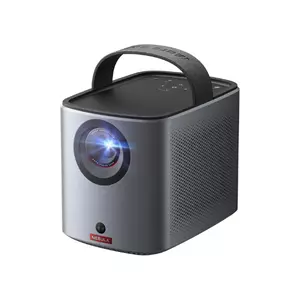
We may earn a small commission if you buy via our links - it helps keep gagadget.com running.
5 Reasons to Buy the NEBULA Mars 3 Air:
- Certified Google TV and a licensed Netflix app running at full 1080p
- Measured 399 ANSI lumens, within a lumen of the 400 on the box
- Standard picture mode costs only four percent brightness, where rivals shed a third
- Two 8W Dolby Audio drivers, loud enough to skip a separate speaker outdoors
- Built-in battery, carry handle and a four-LED charge gauge on the lid
2 Reasons to Consider Alternatives:
- Eco mode falls to 145 lumens, so the battery figure and the brightness figure never coexist
- No USB-C video input, and the power port is a proprietary barrel connector
Table of Contents:
- NEBULA Mars 3 Air Review: Full Specifications
- Why the Netflix Licence Does the Heavy Lifting
- Three Seconds, and What the Camera Is Doing
- Where 400 Lumens Works and Where It Gives Up
- Charging, Heat and the Bits Not in the Box
- Where the Marketing and the Machine Disagree
- Mars 3 Air vs XGIMI MoGo 3 Pro vs Samsung The Freestyle
- The View From People Who Bought One
NEBULA Mars 3 Air Review: Full Specifications
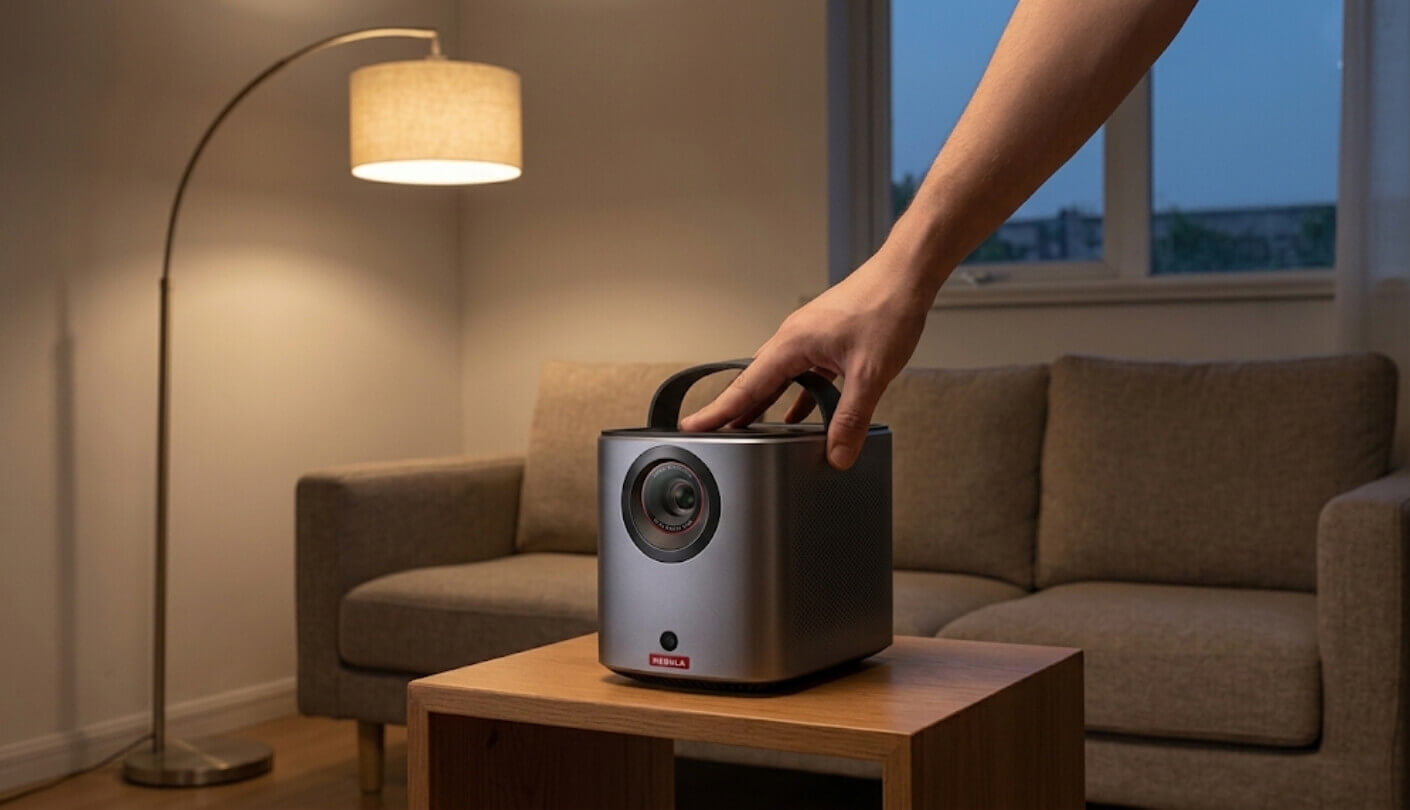
Anker's published figures, with anything that comes from independent testing marked as measured:
| Spec | NEBULA Mars 3 Air |
| Imaging | Single-chip DLP with a 0.23-inch DMD |
| Native Resolution | 1920 x 1080 |
| Brightness | 400 ANSI lumens rated, 399 measured at peak and 383 in Standard mode |
| Eco Mode Output | 145 lumens measured in Standard picture mode |
| Light Source | RGB LED, rated for 30,000 hours |
| Contrast Ratio | 400:1 quoted by Anker |
| HDR | Accepts HDR10, will not accept a 4K signal |
| Throw Ratio | 1.2:1 fixed, digital zoom only |
| Image Size | 30 to 150 inches |
| Operating System | Google TV interface, listed by Anker as Android TV 11.0 |
| Netflix | Officially licensed app, playing at 1080p |
| Automatic Setup | IEA 3.0, covering autofocus, keystone, screen fit and obstacle avoidance |
| Speakers | Two 8W drivers with Dolby Audio |
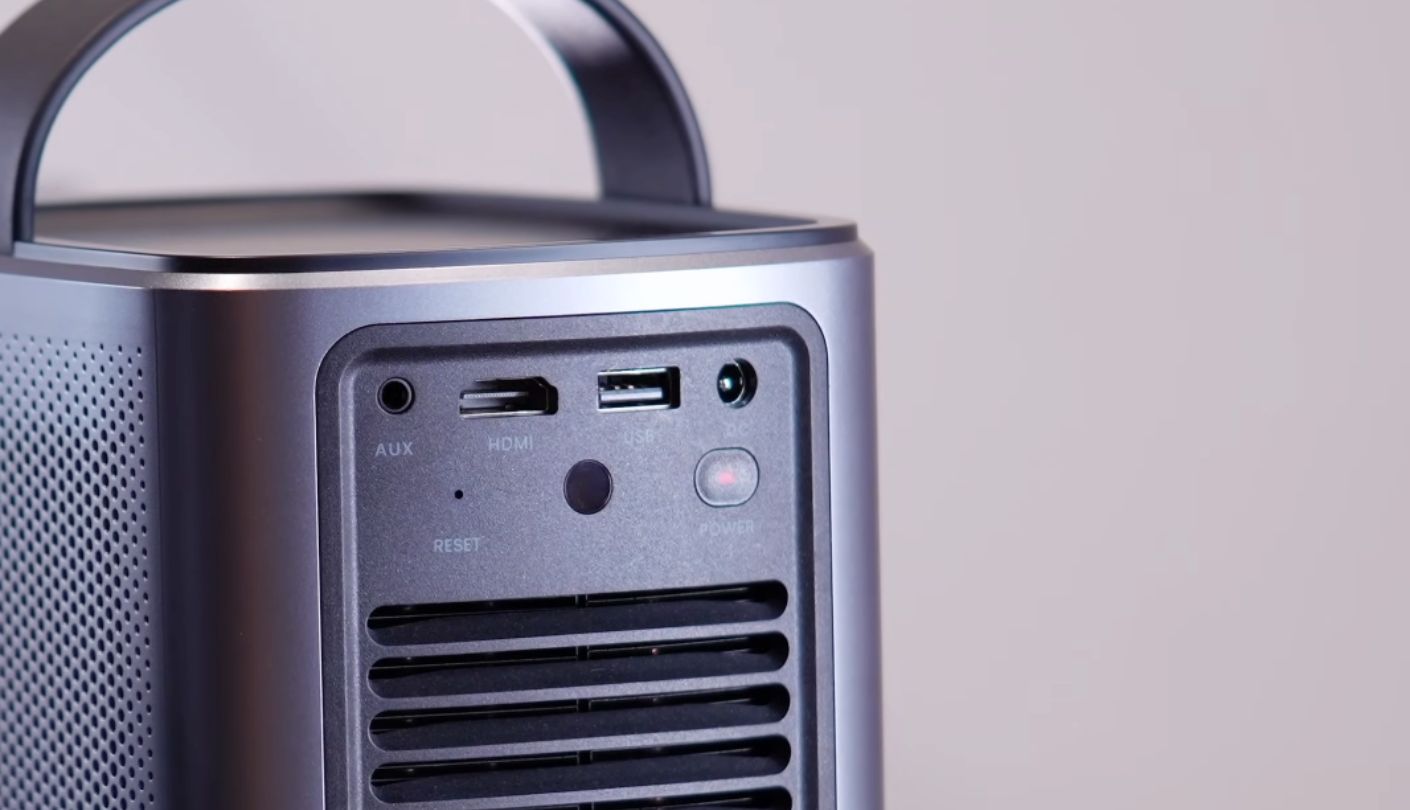
| Ports | One HDMI, one USB-A 2.0, 3.5 mm audio out, DC power inlet |
| Battery | 2.5 hours of video in Eco or 8 hours of music, 3 hours 10 minutes measured in Eco |
| Fan Noise | Under 28 dB rated to ISO 7779, 40.3 dBA measured 36 inches from the vent |
| Input Lag | 44.1 ms measured at 1080p and 60 Hz |
| Weight | 1.69 kg |
| Warranty | 12 months, with a 30-day money-back window from Anker direct |
Four rows carry the whole decision: Netflix, the two brightness figures and the contrast. The first is why you would buy it. The rest set the limits of the room you can use it in.
Why the Netflix Licence Does the Heavy Lifting
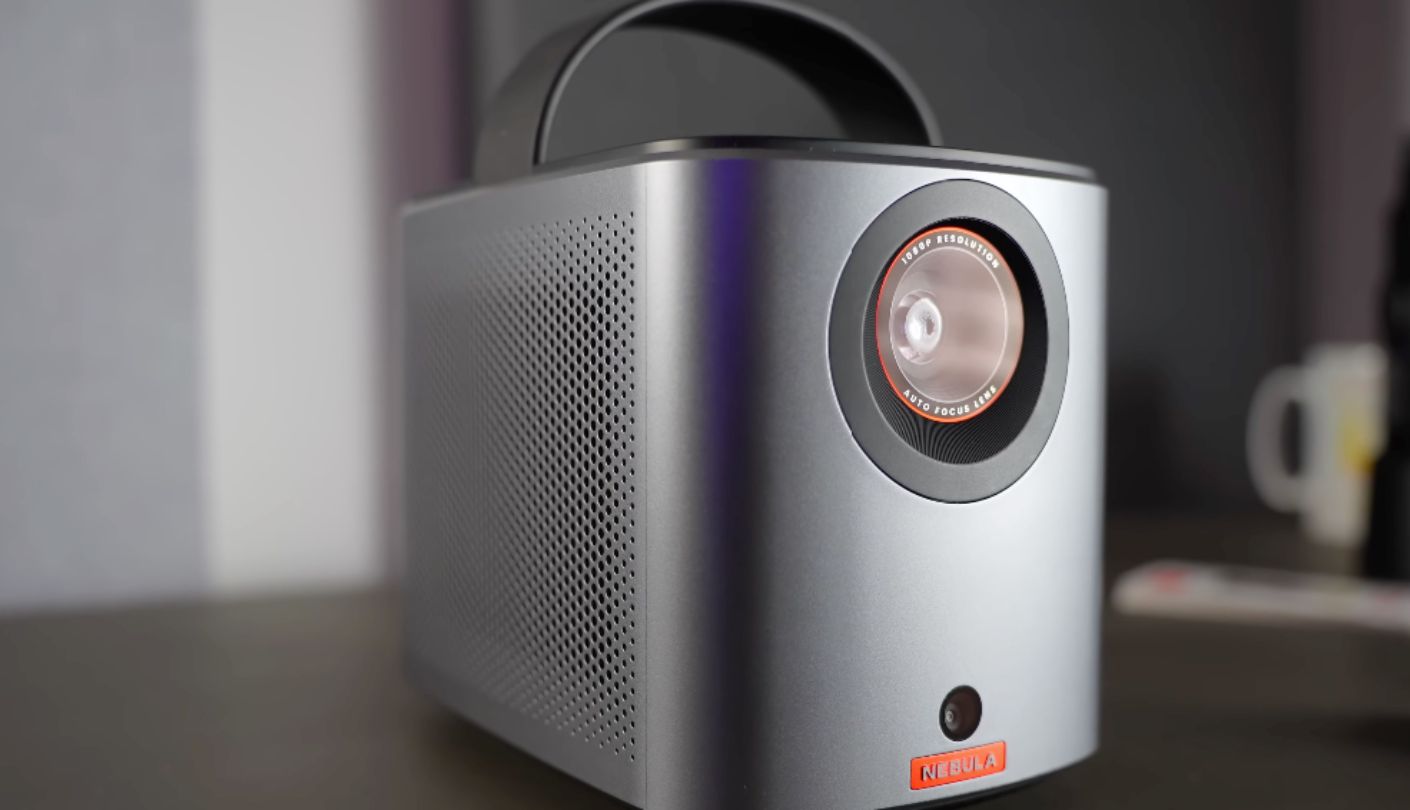
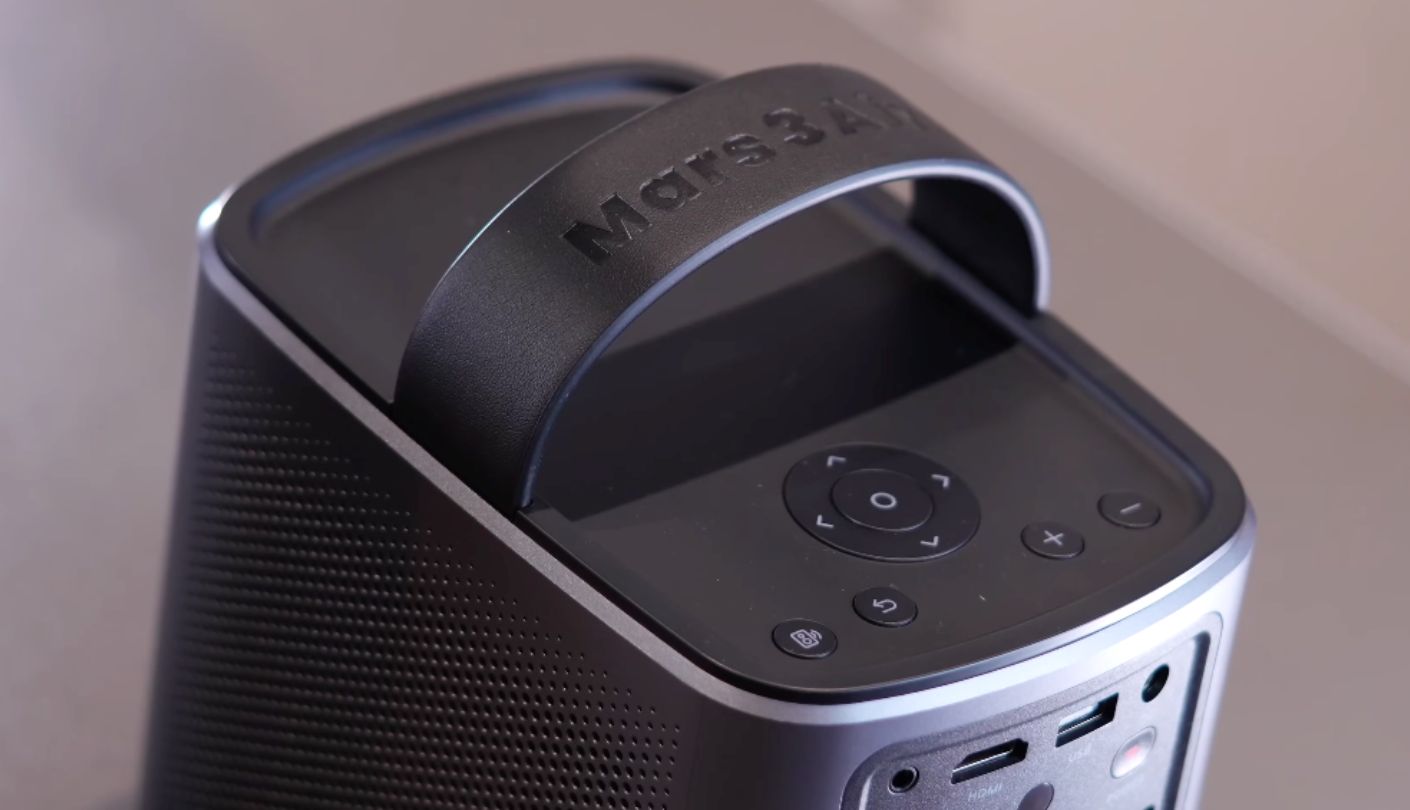
Every Netflix stream is encrypted, and the key only arrives once the device proves it can handle the decrypted frames safely. On Android that judgement belongs to Widevine, Google's rights management system. Decrypt inside a protected corner of the chip and you get the top grade, which unlocks HD. Decrypt in software and you get the bottom grade, which the studios cap at 480p.
Cheap projectors usually run an open build of Android at the bottom grade. Their Netflix app refuses to install, or installs and serves a black rectangle with sound, or runs beautifully at a resolution that makes the panel behind it decorative. Then there is a second gate. Netflix approves devices one by one, so hardware that clears Widevine can still be handed standard definition if the manufacturer never filed the paperwork. Sideloading an APK beats neither gate.
A projector's resolution tells you how many pixels the panel can light up. The DRM grade tells you how many pixels Netflix will agree to send. Those are separate questions, and only one of them appears in the marketing.
This one clears both. It runs certified Google TV, Anker completed the Netflix approval, and at launch the company called this model and the Capsule 3 the first portable LED projectors able to show Netflix at full 1080p. Day to day that means small ordinary things. Profiles work. The remote has a Netflix key with Prime Video beside it. The home screen gathers your continue-watching row from every service you have signed into.
Be clear about what the licence does not buy. It touches nothing to do with brightness, contrast or black level, and it will not rescue a dark thriller from the kitchen light. What it removes is one very common disappointment: the new projector arrives, the app opens, and the picture looks worse than the phone you watched in bed last night. On a device bought to stream, I rank that above a hundred extra lumens.
Three Seconds, and What the Camera Is Doing
Switch it on and it fires five checkerboard patterns at the wall. A camera on the front reads them back and works out focus, keystone and how much of the wall it can safely use. Anker says three seconds, and for once the figure is not rounded in the manufacturer's favour. By the time the remote is out of your hand, the picture is square and sharp.
Obstacle avoidance is the part that surprises people. Aim at a wall with a light switch or a picture frame in the way and the image shrinks to dodge it instead of draping over the top. Screen fit does the same against the edges of a proper screen. Neither is infallible, and both earn their place on a hotel wall.
What that one camera sweep covers, and what it leaves to you:
- Focus, keystone, screen fit and obstacle avoidance, all settled in the same three seconds
- Wall-colour compensation, worth finding if the only surface going spare is beige or pale blue
- Nothing for height or angle, because there is no kickstand, no foot and no levelling screw
- Nothing for size either, since the 1.2:1 lens is fixed and shrinking the image is done digitally
- Game mode stays hidden until something is plugged into the HDMI port
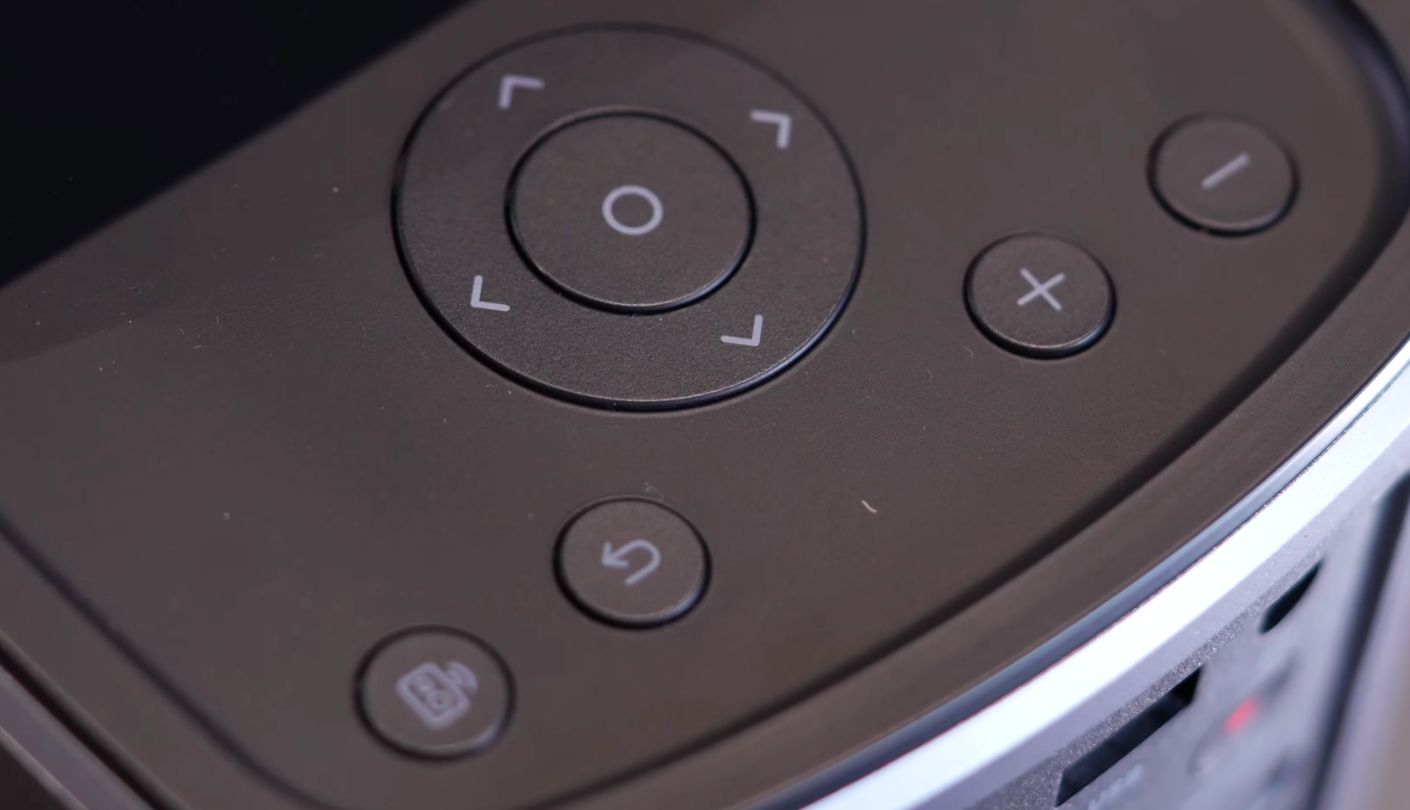
- Casting works through Chromecast, though a full iOS screen needs Anker's Nebula Cast app
That third bullet is the one that bites. The lens sits four inches above the base and points dead ahead, so on a coffee table the picture lands on the skirting board. Books work. A tripod works better, and the quarter-inch thread underneath is waiting for one. Anker's metal stand lifts it four and a half inches and tilts up to twelve degrees, which beats building a plinth out of hardbacks.
Where 400 Lumens Works and Where It Gives Up
Six of the jobs a portable gets asked to do, and how each one went here:
| Scenario | What Happened | The Catch |
| Dark living room at 100 inches | An episode of Drive to Survive looked like a television rather than a compromise. Colour rich, faces right | Black arrives as dark grey. Anker quotes 400:1 contrast and that is what you see |
| Same room with one lamp on | A stand-up special and a cooking show both held up fine once I pulled back to 80 inches | Stranger Things in the same light lost its shadow detail almost entirely |
| Garden after sunset, on battery | Eco mode on a folding screen at 70 inches was the best evening I had with it all month | Eco means 145 lumens. Street lighting over a fence is enough to spoil it |
| Hotel room, white wall | Screen fit and obstacle avoidance dealt with a wall I would otherwise have given up on | The power brick is a barrel plug at 19V, so a USB-C power bank is no help |
| Console on the HDMI port | Game mode keeps 382 lumens and looks cooler and cleaner than Movie mode | 44.1 ms of lag is fine for a racing game and wrong for a shooter |
| Standing in as a speaker | Eight hours of music from two 8W drivers, over Bluetooth or from the Spotify app | Bass is thin against anything built purely to be a speaker |
A month of this taught me more than any brightness chart. What you watch matters as much as how dark the room is. Stand-up, sport, panel shows and anything lit by a studio are bright and flat by nature, and they shrug off a lamp in the corner. Prestige drama shot at night collapses in the same room. Darkness is the currency, and the more you hand over, the further your library stretches.
Charging, Heat and the Bits Not in the Box
Open the carton and this is the lot. Projector, remote with two AAA cells, power adapter and cord, quick start guide. No case, no tripod, no HDMI cable, no screen. The padded case and the metal stand are accessories at about fifty dollars each. Add an HDMI cable to the same order if a console is ever going near it.
Battery, charging and heat. Anker rates 2.5 hours of video in Eco or 8 hours of music, and independent testing beat that slightly in Eco at 3 hours 10 minutes. Standard brightness is quoted nearer two hours, so plan around one film. A full recharge takes about two hours with the projector off. The rear vents are enormous for a box this size and the fan is far quieter than they suggest, though the chassis still hit 115 degrees Fahrenheit under test. Leave a foot of clear air behind it.
What it costs to own, and what to pay. No lamp to replace, ever, because the LED array is rated for 30,000 hours and peak draw is around 59 watts. A screen is the only purchase that really matters, and an 80 to 100 inch matte white surface does more here than any menu setting. As for the projector itself, list is $599.99 and it has spent most of its life nearer $420. Those are two different products. At list it argues with brighter machines and loses. At $420, with a licensed Netflix app, a battery and 16W of audio already inside, nothing in the category beats it.
Where the Marketing and the Machine Disagree
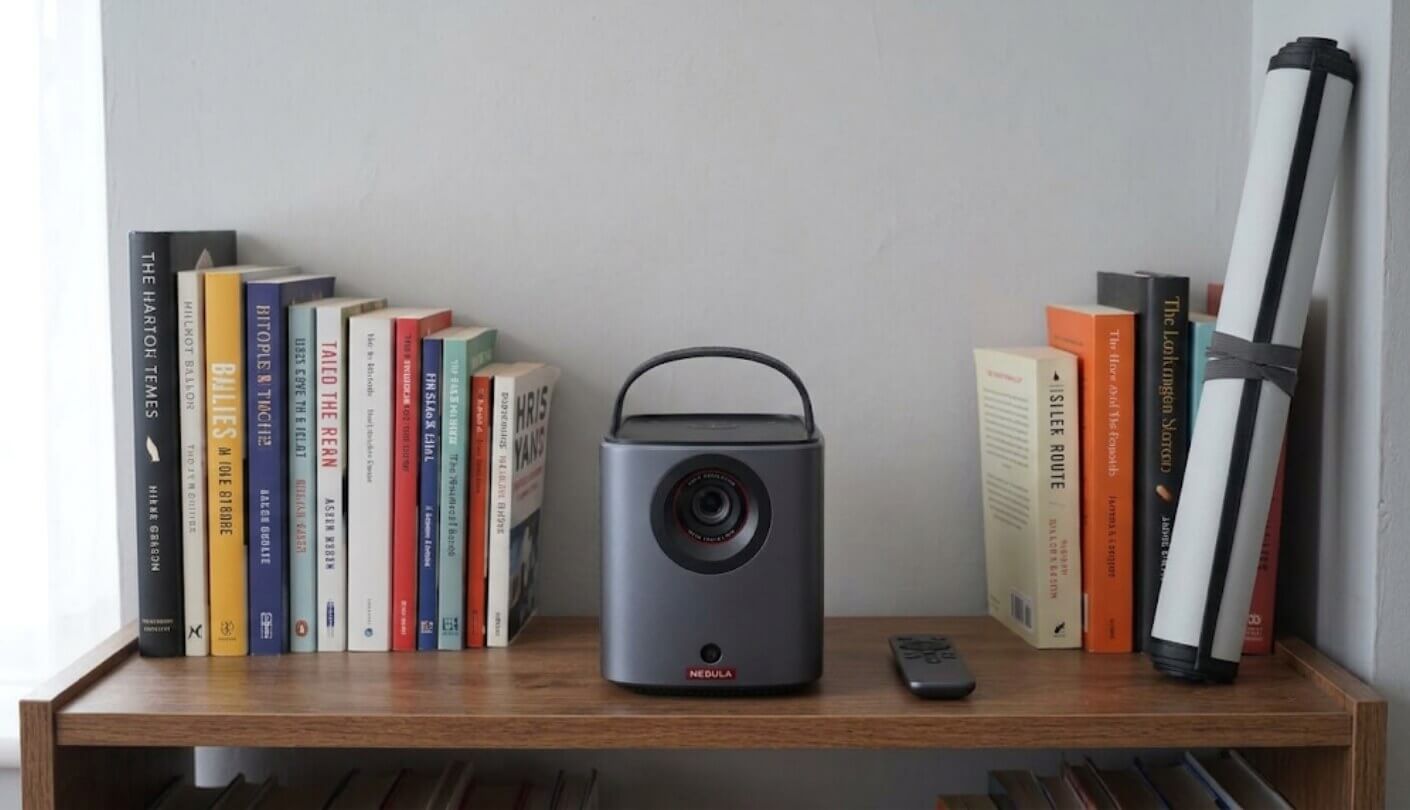
The first problem is arithmetic. The box says 400 ANSI lumens and the box says 2.5 hours of playback, and those two numbers describe different machines. The 2.5 hours belongs to Eco mode, and Eco mode measures 145 lumens, roughly a third of the brightness you were sold. Run it at full output and the battery falls nearer two hours. Neither figure lies on its own. Printed side by side, they promise something the hardware cannot do.
The second is stranger. Anker's own spec table lists the operating system as Android TV 11.0 and the input as HDMI 2.1 with ARC. The first is defensible, since Google TV is an interface layer sitting on Android TV and either label fits. Anyone who reads the product name and then the spec tab will still wonder what they are buying. The HDMI claim is weaker. Independent testing logs the connection as HDMI 2.0, and the projector refuses a 4K signal outright.
Contrast deserves its own line. 400:1 is low by any standard, and it turns up where you would expect, in letterbox bars that glow grey and night scenes that flatten. A second quirk never reaches any spec sheet: the picture sits inside a narrow border a shade brighter than the black around it. You stop noticing after a week. It never goes away.
Three smaller things before you order. There is no USB-C video input, so laptops and phones go in through HDMI with an adapter. The power inlet is a proprietary barrel connector, which rules out a USB-C power bank. And the bigger Mars 3 carries an IPX3 rain rating while the Air lists none, so an outdoor evening ends when the weather turns.
Mars 3 Air vs XGIMI MoGo 3 Pro vs Samsung The Freestyle
Shoppers land on these three together over and over, and all of them handle Netflix properly, so the argument moves on to hardware. Every number below is the manufacturer's own. Where two brands measure the same thing to different standards, the row says which standard rather than lining them up as if they matched:
| Spec | NEBULA Mars 3 Air | XGIMI MoGo 3 Pro | Samsung The Freestyle 2nd Gen |
| Maker's Brightness Claim | 400 ANSI lumens | 450 ISO lumens | 230 ANSI lumens |
| Streaming Platform | Google TV | Google TV | Samsung Tizen |
| Netflix Status | Officially licensed by Netflix | Officially licensed by Netflix | Native app on Samsung's own platform |
| Maximum Image Size | 150 inches | 200 inches quoted, 120 recommended by XGIMI | 100 inches |
| Power Away From the Wall | Battery inside, 2.5 hours rated | PowerBase stand sold separately, 2.5 hours | Battery base or a 50W USB-C source, both sold separately |
| Onboard Audio | Two 8W drivers with Dolby Audio | Two 5W Harman Kardon drivers | One 5W driver |
| Video Input | Full-size HDMI | Micro HDMI with ARC | Micro HDMI |
| Other Ports | USB-A 2.0, 3.5 mm audio out, DC inlet | USB-A, USB-C for power | USB-C for power |
| Angle Adjustment | Fixed body, tripod thread underneath | 130 degrees of tilt in its own base | 180-degree cradle stand |
| Automatic Setup | Focus, keystone, screen fit, obstacle avoidance | Focus, keystone, obstacle avoidance, ISA 2.0 | Focus, keystone, auto levelling |
| Weight | 1.69 kg | 1.09 kg | 0.82 kg |
Let me hand the rivals their wins first. Samsung's cylinder weighs under a kilogram, spins 180 degrees in its cradle so you can throw a picture at the ceiling from a bedside table, and runs Tizen with the Gaming Hub attached. XGIMI's is lighter than the Anker too, tilts 130 degrees inside its own base, puts Harman Kardon on its drivers and doubles as a lamp when nothing is playing. It also quotes the highest brightness of the three.
That last claim needs unpicking. Peak against peak, independent testing gives the XGIMI 392 ANSI lumens and the Anker 399, so 450 on one carton and 400 on the other land in the same place. The gap opens in the modes people actually use. XGIMI's brightest setting drives its fan to 53.1 dBA, loud enough to spoil a quiet scene, and the next mode down gives 330 lumens against the Anker's 383.
The rest of the Anker's case is unglamorous hardware. It is the only one of the three with a battery already inside it, which outranks everything else the moment there is no socket nearby. Its audio is the loudest by a distance, 16W against 10W and 5W. Its HDMI socket takes an ordinary cable rather than a micro plug you will lose. Its 44.1 ms of lag beats the 55.5 ms XGIMI manages in Game Mode.
Which one you want comes down to where it gets switched on. The Freestyle suits a projector that lives in a bag and works a different room every night, if 230 lumens and a separate battery purchase do not put you off. The MoGo 3 Pro fits someone who loves the tilt-anywhere base and watches at home near a socket. For an evening outdoors with no mains lead, the Anker is the one I would order.
The View From People Who Bought One
Owner Feedbacks
Owner write-ups fall into two camps, and you can tell which from the first line. Bought as a streaming box that happens to have a lens, it gets warm reviews. Bought in the hope of winning an argument with a lit room, it gets cold ones, always over the same thing.
Praises: "Third projector I have owned and the first where Netflix just worked. Signed in, picked my profile, pressed play. The last one made me install the app from a website and then only ever played what looked like 480p. I did not know that was a thing until I had bought it twice."
"took it camping in august. charged it in the car, ran the whole film off the battery on a sheet strung between two trees, kids were delighted. speakers are loud enough that we didnt bring a bluetooth speaker at all which was the surprise for me"
"The three second setup is not an exaggeration. I move it between the lounge and my daughter's room most weekends and I have never once touched a focus control. It finds the wall, dodges the light switch and squares itself up before I have sat down."
"Rented flat, drilling into walls is out of the question. 100 inches on bare plaster at night, then it goes in a cupboard in the morning. The handle sounds like a small detail and it is the reason the thing gets used."
"Dad is not well and spends most of the day in bed. We stood this on a chest of drawers and now he watches things on a proper big screen instead of a tablet propped on a pillow. Worth every penny for that alone."
***
Drawbacks: "The eco mode thing needs saying louder. You get the two and a half hours OR the brightness, never both. At full output on battery I got about two hours, and the end of the film was a race against the meter."
"no usb c video in 2026 is just odd. my laptop is usb c, my phone is usb c, and i need a dongle and an hdmi cable to put either one on the wall. the power plug is a barrel connector too so you cant run it off a power bank"
"Black is grey. Watch anything shot at night and the letterbox bars glow. It is honestly fine for comedies and sport and I knew what 400:1 meant before I ordered, but if you are coming from an OLED television, sit down before the first dark scene."
Only one of those three is permanent. The Eco mode confusion clears up the day you find the brightness setting, and the missing USB-C costs a five-dollar adapter once. Grey black is physics. A small LED projector at this price has the contrast it has, no firmware will change it, and the only answer is a darker room and a decent matte screen.
So Is It the Netflix Projector to Buy?
Most of what a portable projector does, other portable projectors also do. What this one gets right, and plenty of rivals quietly fail at, is handing over the picture you already pay Netflix for, in full, with no workaround. The rest is a sensible package built around that: a battery that lasts a film, speakers loud enough to skip the extra box, and a light source that will outlive the flat you watch it in.
Daylight beats it every time and Anker makes no claim otherwise. Black comes out grey, Eco mode is dimmer than the box implies, and a laptop screen in a sunlit kitchen will beat 100 inches of wall at two in the afternoon. Judged as an after-dark machine, it is the one I would set up on my own lawn. Get a folding screen, keep the vents clear, and watch the first film in a properly dark room before forming an opinion.

Jim's our tech geek with a mission since February 2023. From movies to video projectors, he knows his stuff and aims to make tech work for you. When he's not geeking out, he's there to guide you through making savvy decisions.


